
Universal
Balanced tone with gentle compression.
AUTOMATED AUDIO MASTERING
Automated mastering for finished AI-generated songs. Shape tone, dynamics and loudness, compare eight sound profiles for free, and download WAV or MP3 with membership.
Drop your finished mix here to get started.
BEFORE & AFTER
Compare the original mix with its master. Listen for changes in tone, punch and clarity.

Original mix
Universal master
MASTERING STYLES
Explore eight audio mastering profiles, from warm and natural to bright and punchy.
Balanced tone with gentle compression.

Added weight, brighter highs and stronger compression.

Brighter highs with less low-mid weight.

Warm tone with gentle saturation.

Gentle compression for a lighter touch.

Wider stereo with a touch of reverb.

Fuller lows with added saturation.

Added low-end weight and punch.
Hear the original and master before you export.
Adjust intensity and EQ, or try a reference track.
Members can download 24-bit or 16-bit WAV, or 320 kbps MP3.
Bring your finished AI-generated song. Preview your master before choosing a download.
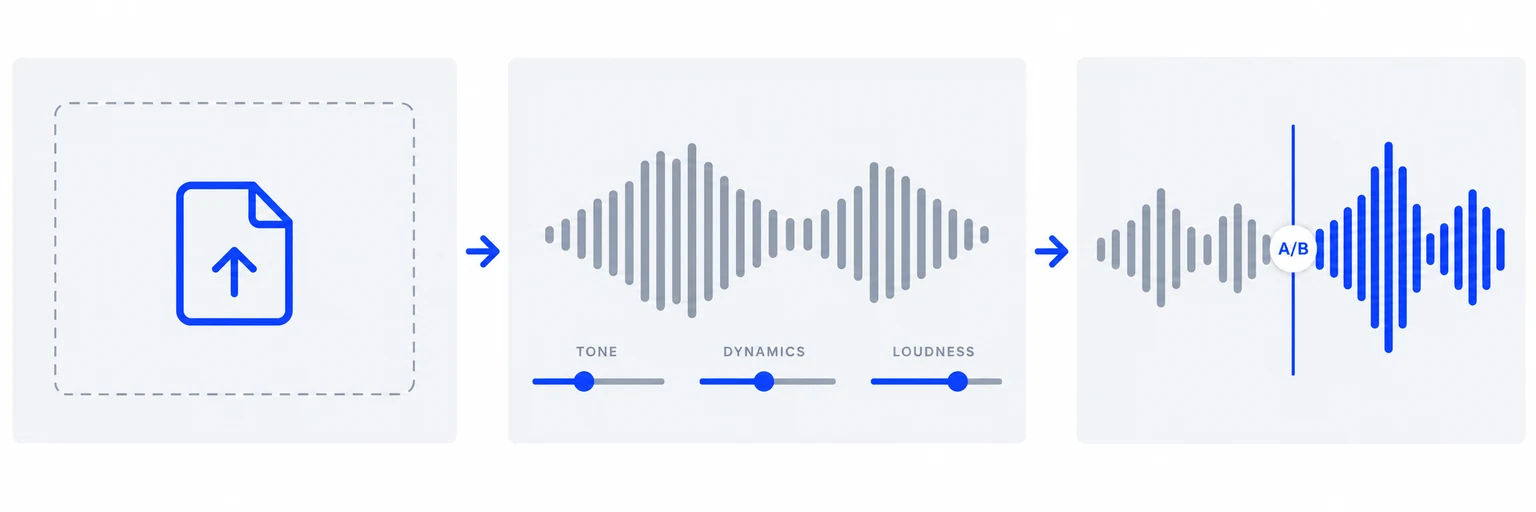
Upload your finished mix as WAV, MP3, FLAC or AIFF. Automated mastering starts with your audio.
Choose a mastering style and adjust intensity and EQ. Members can use a reference track instead.
Listen to the original and master for free. Members can download the finished WAV or MP3.
FROM MUSIC CREATORS
Online music mastering gives my mixes punch and polish. Fire and Universal are my go-to presets.
The Clarity preset opens up my acoustic tracks without losing warmth. Browser-based mastering fits right into my release workflow.
A simple audio mastering tool for quick reference masters. The results hold up well against paid services I’ve tried.
WORKFLOW
Shape the tone, dynamics and loudness of your finished mix with a guided online mastering workflow.
Keep creative control with sound profiles and A/B listening.Automatic starting point
Eight sound profiles
A/B preview in one place
WAV and MP3 export
Build a processing chain
Set each processor yourself
Set up your own A/B comparison
Choose your export settings
MEMBERSHIP
One monthly plan for mastered downloads, reference mastering and full song history.
MASTERING MEMBERSHIP
Billed monthly. Auto-renews until canceled.
Sign in to check membership availability and manage billing.Download your mastered music
24-bit WAV, 16-bit WAV and 320 kbps MP3
Reference track matching
Full song history
Upload, eight sound profiles, intensity, EQ and original/mastered comparison. Free accounts see their latest 3 songs. Older songs stay saved; membership unlocks your full history.
QUESTIONS
Understand the process, prepare your mix and choose your next step.
AI Music Mastering finishes AI-generated songs with preset-based digital signal processing (DSP). Here, AI describes the source music; the processing is not a trained AI model. Shape tone, dynamics and loudness, then compare the result with your original. Mastering cannot rewrite lyrics, replace vocals or reliably repair severe generation artifacts.
Yes. Upload an audio file you already own or have permission to process. Suno and Mureka pages also accept supported public song links; upload your full song if a link provides only a preview. For Udio, use an existing authorized audio file. We do not offer Udio link import or promise that Udio currently allows downloads. These services are independent of AI Music Mastering.
Mixing balances individual vocals, drums, instruments and effects. Audio mastering works on the finished mix as a whole, shaping its overall tone, dynamics and loudness. Upload a completed mono or stereo mix here, rather than separate instrument stems. If a vocal is too quiet or an instrument is masking another part, fixing the mix first generally gives you more control than processing the final file.
Choose your best-quality finished mix and check it for unwanted noise, clicks or distortion before uploading. Leave room for level adjustments and avoid clipping the source. Upload WAV, MP3, FLAC or AIFF files up to 200 MB and 10 minutes long; mono and stereo tracks from 1 second are supported. A lossless WAV or AIFF is preferable when available. Converting an MP3 to WAV will not restore lost detail.
Yes. Uploading, the eight sound profiles, intensity, EQ and original/mastered previews are free. Try different directions and compare them with your original mix before choosing a master. All songs stay saved. Free accounts see their latest 3 songs; members can view their full history. Full song history, mastered downloads and reference matching require the $9.90 USD monthly membership, which automatically renews until canceled. Paid features are available only after a verified subscription payment. A free preview does not create a subscription.
Reference mastering uses another recording to guide tonal balance and loudness. Choose a reference with a sound you want to work toward, ideally in a similar style to your track. Reference mode replaces the regular preset; intensity and EQ remain adjustable. It does not copy melodies, arrangements or individual instruments, and it cannot guarantee an identical result. Reference matching is a membership feature.
Start with Universal or Natural and listen to both quiet and busy sections. Original and Mastered play at their own levels; the current Studio has no loudness-matching control. A louder result is not automatically better. For a level-matched comparison, use a player or DAW with that feature. Gentle processing, or keeping the original, may suit an already balanced song.
Members can download 24-bit WAV, 16-bit WAV or 320 kbps MP3. Exports include the current Intensity and EQ settings. The report measures the preset render before later live control changes; it does not remeasure their LUFS or true peak. Check the exported file with a dedicated meter and listen through it before release.

Upload your mix. Find your sound. Hear the difference.