Mastering for Vinyl: Digital Prep, Not a Vinyl Mode
Mastering for vinyl on this page means preparing a clean digital stereo master before lacquer cutting — not a vinyl simulation or vinyl mode inside this studio.
Upload your track
Drop your finished mix here to get started.
Upload only audio you own or have permission to process. See Terms and Privacy.
Mastering for vinyl is usually a two-world job. You (or a mastering engineer) prepare a digital premaster; a cutting engineer and pressing plant handle groove physics, side length and test pressings. This browser studio shapes tone, dynamics and loudness on a finished digital mix with eight profiles, Intensity and EQ. It has no vinyl mode, no lacquer preview and no plant handoff.
For pricing and downloads, open the mastering tool.
Before you begin
- Upload a finished mix (WAV, MP3, FLAC or AIFF, up to 200 MB and 10 minutes).
- Preview profiles and adjust Intensity / three-band EQ.
- Read integrated LUFS and estimated true peak on the base render.
- Unlock song credits for 24-bit WAV, dithered 16-bit WAV or 320 kbps MP3 downloads.
Apple’s Digital Masters guide describes EQ, compression and limiting as core mastering tools and recommends leaving at least 1 dB of headroom so overs do not clip. That digital headroom advice still helps a premaster you will send elsewhere; it is not a vinyl cutting specification from Apple.
Bring practical questions, not assumptions from streaming blogs:
- Preferred file type and bit depth for the premaster.
- How much peak headroom they want above digital full scale risk.
- Whether they want low frequencies more mono, or de-essing before cut.
- Side length expectations and whether a quieter cut is acceptable for fidelity.
- How test pressings will be reviewed and who pays for recuts.
The vinyl path succeeds when that conversation is clear. This studio only helps you shape a digital file you can hand over. It does not replace the plant.
How to approach mastering for vinyl
Finish the stereo mix with headroom
Balance the song first. Avoid a bounce that already kisses full scale if your cutting engineer wants room to work. Export WAV when you can.
Preview a digital master here
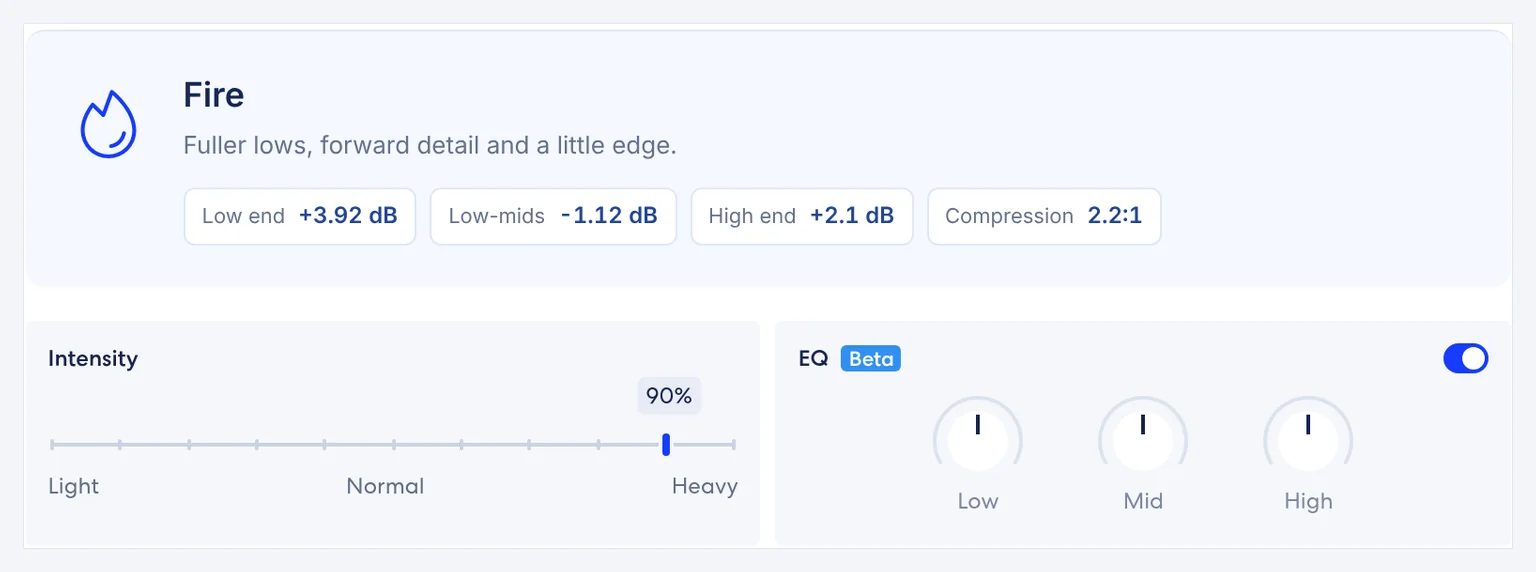
Upload within 200 MB / 10 minutes. Choose a profile, keep Intensity moderate unless you have a reason to push, and listen on quiet and loud sections.
Deliver what your plant asks for
Unlock a WAV download if you need a file from this site, then follow your cutting engineer’s delivery checklist. Do not treat this studio as a vinyl plant.
Common problems and what to check
- No vinyl mode and no claim that a profile equals a cutting chain.
- No side-length, groove-width or test-pressing simulation.
- No separate limiter ceiling/release knobs for users — Intensity is the control you hear; the engine’s fixed limiter behavior is not a plant tool.
- No guarantee a plant will accept a file without further changes.
Talk to your cutting engineer about their preferred delivery format, levels and any low-end mono or de-essing they want. Bring them a clean, unfinished-hot digital master rather than a crushed streaming bounce when they ask for headroom.
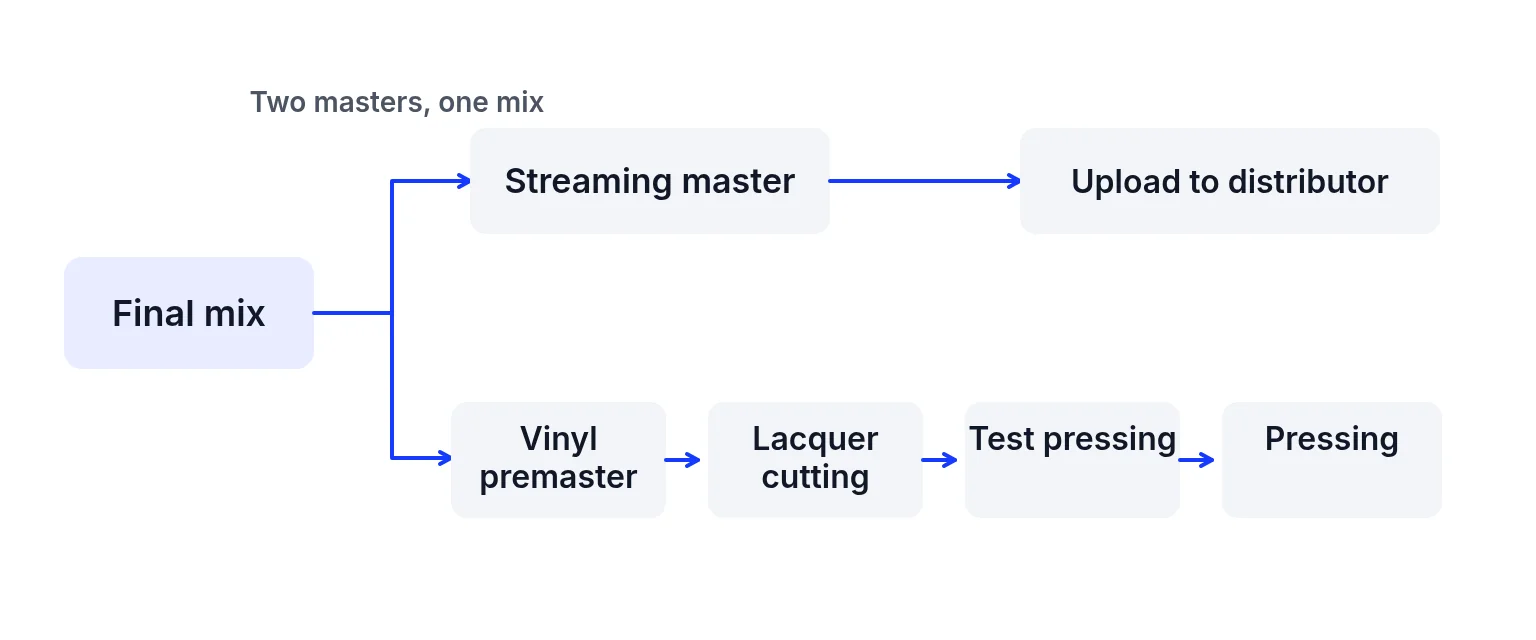
Many releases keep two masters from one mix: a streaming-oriented master and a vinyl premaster. This site can help you audition digital tone for either path, but the vinyl cut still happens off-site. For streaming loudness figures platforms publish, see streaming LUFS targets. For the order of EQ, compression and limiting in general, see how to master a song.
Crushing a mix for playlist loudness before you ask about vinyl often removes the transient life cutting engineers want. If you need a loud streaming master and a vinyl premaster, plan two finishes from one mix. Use this site to audition tone for the digital side; keep a less limited bounce when the engineer requests it. Revisit EQ, compression and limiting order for general digital work, and remember Apple’s headroom note is about digital clipping — not a groove-width formula.
Marketing copy sometimes sells a “vinyl” button that only adds saturation or crackle. That is not lacquer cutting. This page refuses that shortcut. Profiles here (Tape, Fire, Natural and the rest) are digital tone directions. None is labelled vinyl, and none should be described as a pressing simulation. If you like a warmer digital master for streaming, say so honestly; still send the plant what they asked for.
| Problem | Likely cause | What to check |
|---|---|---|
| A “vinyl” button was the whole plan | Profiles here are digital tone directions. None is labelled vinyl, and none is a pressing simulation. | Send the plant the file they asked for. Marketing crackle is not lacquer cutting. |
| One crushed streaming bounce for both jobs | Playlist loudness often removes the transient life a cutting engineer wants. | Plan two finishes from one mix when you need both. |
| A plant LUFS number invented on this page | This page does not publish one. | Ask the cutting engineer. |
| Expecting a vinyl mode, lacquer preview, or side-length simulation | This studio has none of those. | The cut happens off-site. |
| User-set limiter ceiling or release for the cut | There are no separate ceiling or release knobs. Intensity is the control you hear. | Do not treat the engine’s fixed limiting as a plant tool. |
| The wrong file gets cut | This studio returns a single mastered stereo download per unlocked song. It does not rename stems or split sides. | Label the streaming bounce and the premaster yourself. |
- Digital prep only inside this studio.
- Preview free; downloads need song credits ($1.99 / 5 songs).
- Estimated true peak is not a certified meter.
- No commercial-use claim about manufacturing rights.
Check the finished file
Include the final WAV, a notes file with sample rate and bit depth, and any alternate edits the engineer asked for. Label sides clearly if you already know the sequence. Do not rely on this browser studio to rename stems or split sides automatically — it only returns a single mastered stereo download per unlocked song. Keep a separate streaming bounce if you need one, and tell the plant which file is which so nobody cuts the wrong master.
- Balance is finished, and the bounce is not already kissing full scale if the engineer wants room to work.
- Apple’s Digital Masters guide recommends at least 1 dB of headroom for digital masters so overs do not clip. That is digital clipping advice, not a groove-width formula. Your plant may ask for more.
- You know their preferred file type and bit depth, whether they want low frequencies more mono or de-essing before the cut, the side length, and who reviews the test pressing.
- Prefer 24-bit WAV when the engineer accepts it. Confirm with them. Preview stays free; downloads need song credits ($1.99 USD once for 5 songs).
- Estimated true peak on the report is not a certified meter.
- This page makes no commercial-use claim about manufacturing rights. This site does not press vinyl.
Ready to check your mix?
Upload above, preview free, and unlock song credits only when you need a download. → AI music mastering
Mastering for vinyl FAQ
What does mastering for vinyl mean here?
Preparing a clean digital stereo master you can send toward cutting — not running a vinyl mode in this browser.
Does this site have a vinyl mode?
No. There is no vinyl simulation, lacquer preview or plant integration.
Should my vinyl premaster be as loud as streaming?
Ask your cutting engineer. Streaming platforms often turn loud masters down; plants care about groove physics. Do not invent a plant LUFS number on this page.
What headroom should I leave?
Apple’s Digital Masters guide recommends at least 1 dB of headroom for digital masters to avoid clipping. Your plant may ask for more or different delivery levels.
Can I adjust a separate limiter ceiling?
Not as a user control. Intensity changes how hard processing works; there are no separate ceiling/release knobs in the studio UI.
Is previewing free?
Yes. Downloads need song credits.
Which download should I send a plant?
Prefer 24-bit WAV when the engineer accepts it. Confirm with them.
Do you press vinyl?
No.
Can AI music go to vinyl?
If you own or may process the recording and your plant accepts it. This site only masters the digital file.
Related links
- Loudness figures platforms publish: the streaming master, separate from the plant’s request.
- The digital order of EQ, compression and limiting: general digital work, not a cutting chain.
- Shape the digital file here: preview free, then unlock song credits only when you need a download.
Platform names are trademarks of their owners. This site is not affiliated with or endorsed by them. Statements checked 2026-11-09 may change.
Last updated: 2026-11-10