ElevenLabs Music Mastering: Master a Finished File
Master a finished ElevenLabs Music export you own or may process. Preview free. Song credits unlock downloads.
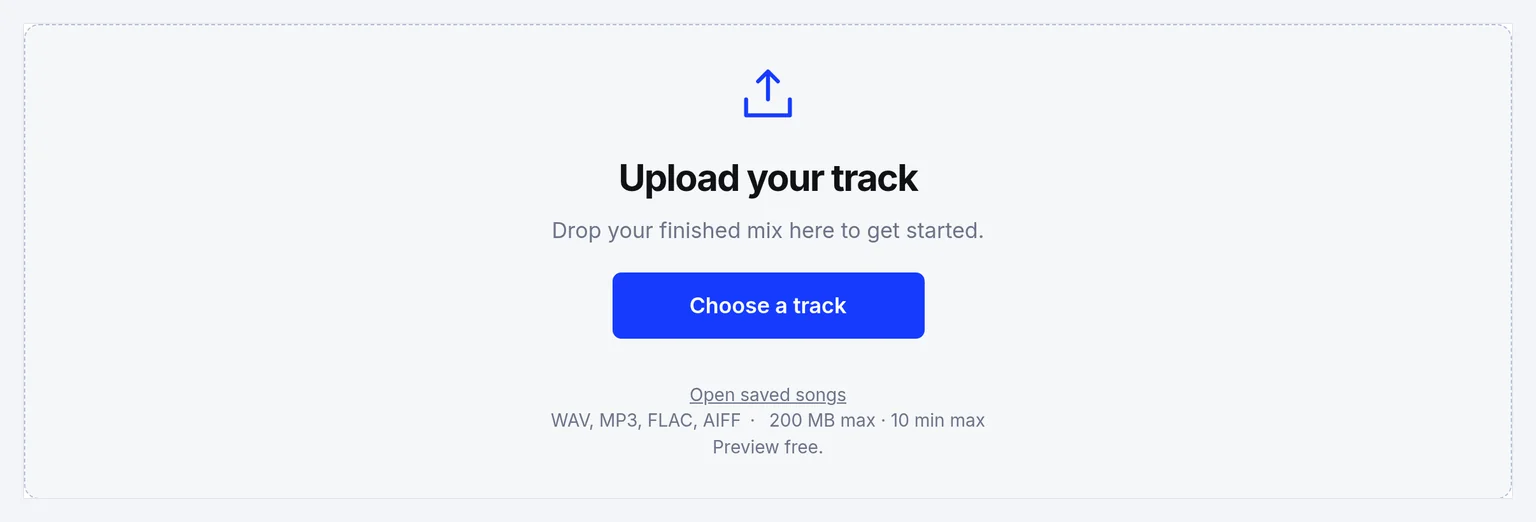
Upload your track
Drop your finished mix here to get started.
Upload only audio you own or have permission to process. See Terms and Privacy.
Finishing an ElevenLabs Music export on this site means finishing a stereo export from ElevenLabs Music with preset-based mastering — not a trained AI model that rewrites the song. There is no ElevenLabs link import on this site. Upload WAV, MP3, FLAC or AIFF (up to 200 MB and 10 minutes), preview eight profiles free, read the processing report, then unlock song credits only when you want a download.
ElevenLabs offers a Music product on its site (elevenlabs.io/music). This mastering studio does not connect to ElevenLabs accounts and does not promise a specific ElevenLabs export format beyond what you download yourself. Bring a finished stereo file you are allowed to process.
For pricing and downloads, open the mastering tool.
Hear the original and the mastered version
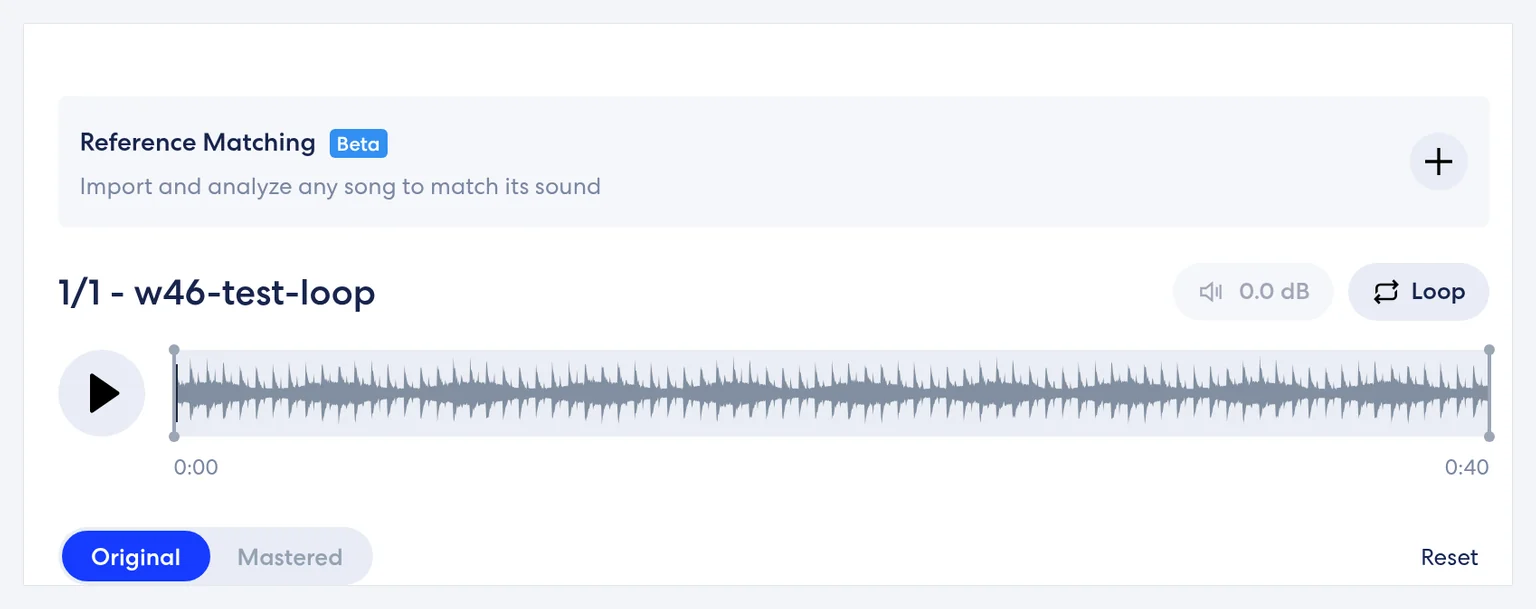
This page does not include a published before-and-after of an ElevenLabs Music song. In the studio, switch between Original and Mastered. They play at their own levels — there is no visible loudness-matching control. Compare with your ears and the report. Louder is not automatically better.
The report lists Loudness (LUFS), Estimated true peak (dBTP) and Sample rate for Original and Mastered. Use it to see what changed — not as a score against any generator. True peak here is an estimate. Numbers you may see in screenshots on other pages are measurements of synthetic test audio, not recommended targets for your song. For a longer walk through the meters, open the LUFS meter. For published streaming figures, see streaming LUFS targets.
What mastering can improve in an ElevenLabs Music song
Elevenlabs music mastering is useful when the arrangement is finished and you want overall tone, dynamics and loudness shaped before release. If one part still masks another, fix balance first — see mixing versus mastering. If the vocal performance itself is broken, regenerate in ElevenLabs Music or record a person; mastering will not rewrite lyrics. For harsh tone after generation, a light profile can help; severe artifacts still need a new export.
| Area | What a master can change on this file |
|---|---|
| Tone | Overall tone of the finished stereo export. A light profile can help when the bounce is harsh after generation. |
| Dynamics | How even the level feels from a quiet verse to a dense chorus. Judge those sections separately. |
| Loudness | Integrated loudness of the whole file, read in the report. Louder is not automatically better. |
Mastering will not rewrite lyrics, replace a vocal, or reliably repair severe generation artifacts. If the vocal performance itself is broken, regenerate in ElevenLabs Music or record a person.
The source file sets the ceiling
The file you upload is the ceiling. This studio shapes that stereo export. It does not rebuild what the generator left out.
| Problem in the source | Why it limits the master | What to do |
|---|---|---|
| One part masks another | Mastering works on the whole stereo file | Fix balance first. See mixing versus mastering. |
| The vocal performance is broken | A preset chain will not rewrite lyrics or replace a vocal | Regenerate in ElevenLabs Music or record a person. See also humanize AI music. |
| Severe generation artifacts | They are not reliably repaired here | Export again. A light profile is not an artifact eraser. |
| Only a lossy bounce | Converting an MP3 to WAV does not restore lost detail | Prefer the best export ElevenLabs Music gives you. Lossless beats a compressed bounce when you have the choice. |
| The bounce already sits near full scale | There is little honest room left for the chain | Leave a little peak headroom in the next export when you can. |
| You would master a clipped preview | That is not the file you will release | Master the file you will actually release. |
| The file is over 10 minutes or 200 MB | Longer songs and oversized files are outside what this tool accepts | Edit before upload. |
| You expect an ElevenLabs login or a pasted ElevenLabs link | There is no account connection, and there is no ElevenLabs link import on this site | Bring a finished stereo file you downloaded yourself. |
Bring a finished stereo mix (or mono) you are allowed to process, preferably the best export ElevenLabs Music gives you, inside 200 MB / 10 minutes. This studio does not promise a specific ElevenLabs export format beyond what you download yourself.
Realistic expectations: results depend on the source; lighter processing or keeping the original may be better.
How to master elevenlabs music in 3 steps
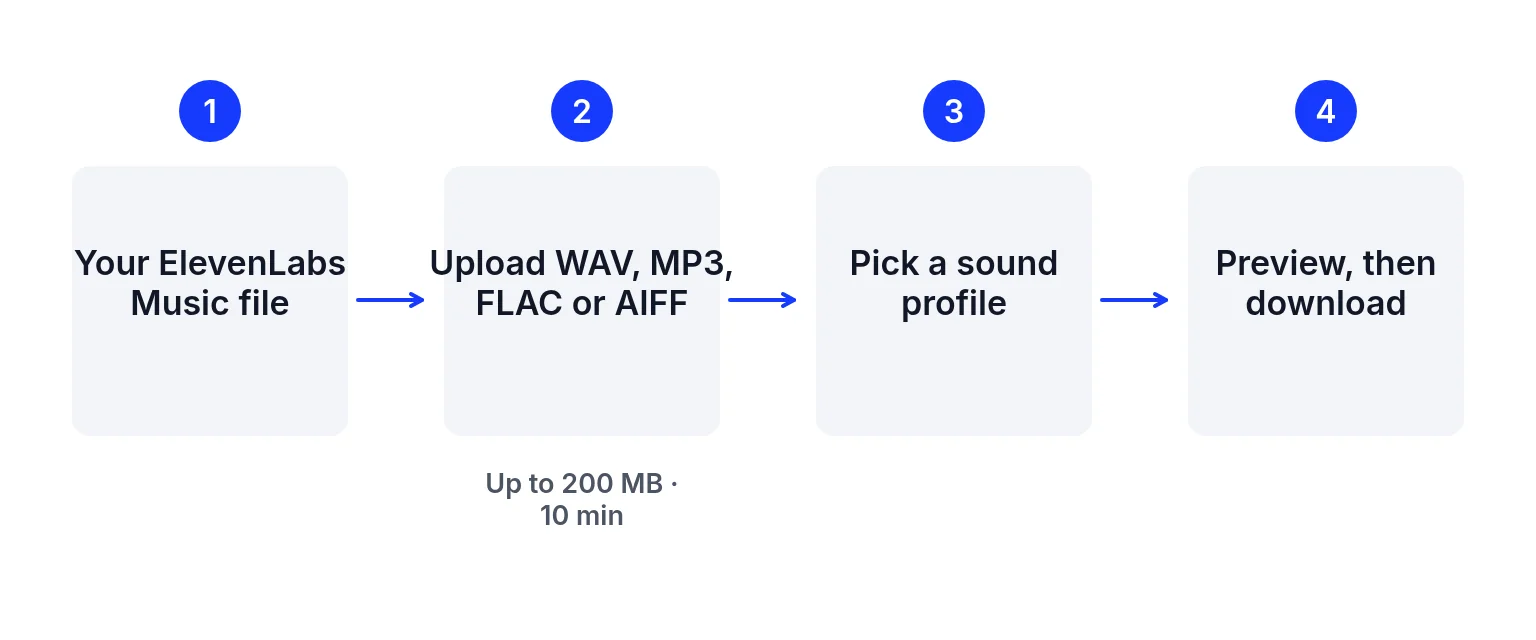
Export a finished file from the generator
From ElevenLabs Music, export or download the highest-quality finished stereo mix you are allowed to use. Prefer lossless when the generator offers it. Converting an MP3 to WAV does not restore lost detail. Stay within this studio’s limits later: WAV, MP3, FLAC or AIFF, up to 200 MB and 10 minutes.
Upload and pick a sound profile
Drop the file on the upload box above. Choose one of eight profiles (Universal, Fire, Clarity, Tape, Natural, Spatial, Cinematic or Punch), then adjust Intensity in steps of 10 and low/mid/high EQ within ±6 dB. Original and Mastered play at their own levels — there is no visible loudness-matching control.
Read the report, then unlock a download if you need a file
Open “Audio details & processing report” under the player for Loudness (LUFS), Estimated true peak (dBTP) and Sample rate. Report figures describe the base render; later live Intensity/EQ are in the export but not re-measured. Unlock song credits ($1.99 USD once for 5 songs, no automatic renewal) when you want 24-bit WAV, dithered 16-bit WAV or 320 kbps MP3.
Choose a profile or a reference track
Profiles are starting points, not genre rules. Audition quiet and busy sections:
- Universal — balanced starting point.
- Natural — lighter compression when the export already feels finished.
- Clarity — brighter highs when the mix sounds dull.
- Punch / Fire — more weight and drive when the bounce feels soft.
- Tape / Cinematic / Spatial — warmer, fuller or wider directions to A/B.
Intensity raises how hard the chain works. Above the default, listen for pumping or harshness.
Reference matching is free and does not spend a song credit. The studio still labels it Beta. It can guide tone and loudness from another permitted song without copying vocals, melody or arrangement. Free accounts see their latest 5 saved songs. A purchased song pack, or an active membership, shows the full saved list. When you only need numbers, use the report on this page rather than treating another page's screenshot as a target.
Formats, exports and practical limits
| Item | Detail |
|---|---|
| Input | A finished mono or stereo mix: WAV, MP3, FLAC or AIFF, up to 200 MB and 10 minutes |
| Link import | There is no ElevenLabs link import on this site. Upload a local file. |
| Account connection | None. This studio does not connect to ElevenLabs Music accounts. |
| Preview | Free. Eight sound profiles, Intensity, EQ, Original and Mastered previews, and reference matching. |
| Reference matching | Free, labelled Beta, and it does not spend a song credit. It guides tone and loudness. It does not copy vocals, melody or arrangement. |
| Saved songs on screen | Free accounts see their latest 5 saved songs. A purchased song pack, or an active membership, shows the full saved list. |
| Downloads | Song credits: $1.99 USD once for 5 songs, no automatic renewal. Unlocking one imported song uses 1 credit; further exports and edits of that song are included. Credits do not expire. Files: 24-bit WAV, dithered 16-bit WAV or 320 kbps MP3. |
| Report | Loudness (LUFS), Estimated true peak (dBTP) and Sample rate. Figures describe the base render. Later live Intensity and EQ are in the export but are not re-measured. True peak here is an estimate. |
| Level match | None visible. Original and Mastered play at their own levels. |
| Platform playback | The studio does not show how a store or social app will play the track. |
| Not a fit | Over 10 minutes or 200 MB, or when you need certified delivery paperwork from this tool alone. |
Keep one finished stereo bounce. If the Music product offers WAV, prefer it over a small compressed file. Stay inside 200 MB and 10 minutes for this tool. Listen for harsh consonants before you raise Intensity. If the problem is lyric clarity or timing, fix it in the generator; mastering only shapes the whole mix. Use the report to see loudness and estimated true peak changes, remembering screenshot readings on other pages are synthetic-test values, not goals for your song.
Before you call the file finished:
- Master the file you will actually release, not a clipped preview.
- Compare Original and Mastered with your ears and the report — louder is not automatically better.
- If the bounce already sits near full scale, leave headroom in the next ElevenLabs Music export when you can.
- Keep one high-quality stereo master for distribution rather than a stack of slightly different files.
- Recheck loudness after any late Intensity or EQ change with a dedicated meter if you need certified numbers.
Ready to finish your ElevenLabs Music track?
Upload the authorized file above, preview a profile, and unlock a download only when you need the file. → AI music mastering
Elevenlabs music mastering FAQ
What does finishing an ElevenLabs Music track here involve?
ElevenLabs Music mastering here means taking a finished song file from ElevenLabs Music that you own or may process, uploading it to this studio, previewing profiles free, and unlocking downloads with song credits when you want a file. It is not a connection to the ElevenLabs Music account.
Does this site import ElevenLabs Music links?
There is no ElevenLabs link import on this site. Upload a local file instead.
Is previewing free?
Yes. Uploading, eight sound profiles, Intensity, EQ, original/mastered previews and reference matching are free. Downloads need song credits.
What files can I upload?
WAV, MP3, FLAC or AIFF, up to 200 MB and 10 minutes, mono or stereo.
Can mastering rewrite AI vocals?
No. The site shapes tone, dynamics and loudness on a finished mix. It cannot rewrite lyrics, replace vocals or reliably repair severe generation artifacts.
What do song credits cost?
$1.99 USD once for 5 song credits, without automatic renewal. Unlocking one imported song uses 1 credit; further exports and edits of that song are included. Credits do not expire.
Should I master before or after mixing?
Finish balance in the mix first when you can. Mastering works on the whole stereo file. See mixing versus mastering if you are unsure.
Can I use reference matching?
Yes. Reference matching is free and does not spend a song credit. A credit is spent only on a confirmed download. The studio still labels it Beta. It can guide tone and loudness from another permitted song without copying vocals, melody or arrangement. Free accounts see their latest 5 saved songs. A purchased song pack, or an active membership, shows the full saved list.
Are my uploads stored?
Mastering runs in the browser; source audio, masters, settings and reports are then uploaded for private cloud history. See the Privacy page.
Related links
- Where mixing stops: balance problems still belong in the mix.
- Read integrated loudness: a longer walk through the meters on the report.
- What services publish: loudness figures from the platforms themselves.
- When the vocal still sounds generated: texture, a new performance, or a person.
- Eight profiles and song credits: the general tool, including downloads.
ElevenLabs Music and related marks are trademarks of their owners. This site is not affiliated with or endorsed by them. Product statements checked 2026-11-09 may change.
Last updated: 2026-11-10